Language learning is a lifelong habit. My first language is Chinese Mandarin, and I learned English in school. Growing up in Asia, I found it difficult to maintain my learning habits after graduating due to a lack of motivation. While numerous exams encouraged me to study, I didn’t have the freedom to explore and shape my learning journey. Finding interest in the material I study is my biggest goal for maintaining motivation, and determining a systematic approach to learning is my next task. Now that I work in Europe, I am learning German at a beginner level. I’ve realised that learning methods vary with different proficiency levels; therefore, I cannot apply the same methods I used for learning English to my German studies. To reduce the complexity in this article, I aim to achieve the same issue in both language proficiency levels: how to memorise vocabulary while keeping motivation?
Long answer for short: To keep learning motivation, I select the materials I am interested in and then reduce the learning barrier by solving the technical issue[^3]. Writing this WordPress blog in English is also my main motivation for improving English.
The basic workflow for active learning
Active learning requires the learner to maintain a strong focus for a short period—typically about one hour for me—and deeply engage with the material. The chosen materials should be interesting from the learner’s perspective. They must also be systematically reviewed to minimise the learning barriers and ensure consistency in the whole workflow.
There are various forms of learning materials, such as paper books, eBooks, podcasts, YouTube videos, news articles, and blogs. These materials may include text, video, or images in the target language. Due to this variety, the learning tools need to effectively handle all of them, and provide a way to memorise the new vocabularies in the learning materials. Obsidian and Anki are my preferred tools for achieving this purpose.
Conceptual workflow
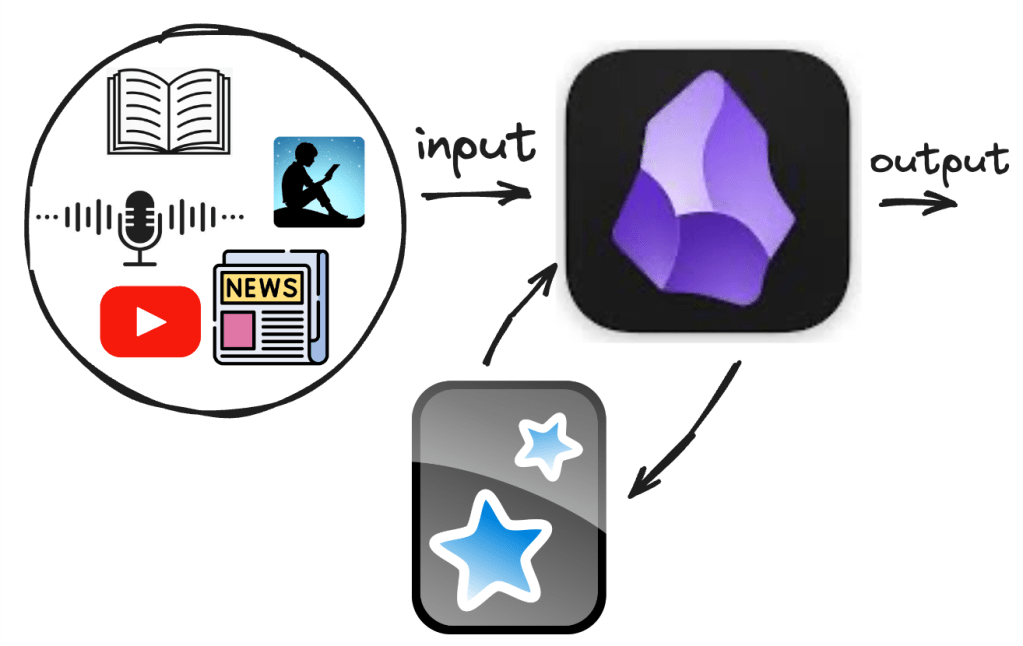
Ingredients in different steps
- Input materials: paper books, eBooks, podcasts, YouTube, news articles ….
- Learning centre: Obsidian
- Repetition: Anki
- Output: Obsidian
Once I select the materials, I create a markdown note in Obsidian. During my study sessions, I highlight new vocabulary or concepts that I want to learn. Next, I build a table to organise these terms, and then I use a Bash script to transform them into Anki cards[^1]. This allows me to study and memorise them using the Anki app, which benefits from the spaced repetition system (SRS).
Another advantage of using the Anki app on my phone is that it makes studying convenient. I can review the Anki cards for five or ten minutes while waiting for the bus. This workflow significantly reduces learning barriers and allows me to integrate studying into my daily life.
I provide two examples based on different language proficiency levels: beginner and advanced. The complexity of the materials increases from the beginner to the advanced level. For the beginner level, I demonstrate this approach using my actual German learning materials. For the advanced level, I use an English eBook.
In my previous blog post[^1], I discussed converting a markdown table into Anki card format and using the Obsidian_to_Anki plugin to import those cards into my Anki database. This process is essential for integrating it into my overall workflow. Another required plugin is PodNote, which integrates audio resources and text (transcript).
Required plugin[^2]:
- Obsidian_to_Anki: One-way sync from Obsidian to Anki
- PodNote: Listen to the podcast on Obsidian and write notes seamless
Examples in the beginner and professional levels
The difficulties in learning differ between the beginner and professional levels. At the beginner level, the learning materials are typically short and simple but should include audio resources. In contrast, professional-level materials are more extended and complex, and the challenge is to present these extensive materials clearly
Beginner level: short audio with transcript
Audio resources are essential for beginners learning a language. The materials must be short and have a systematic learning path. Because beginners lack an understanding of grammar, the learning materials should provide a clear learning path. Usually, only a textbook has a systematic learning path. From my perspective, the drawback of using a textbook is that it is usually boring if one sticks to it for too long.
A good audio resource should include both audio and a transcript. I struggle with pronunciation in German, even when I memorise the rules. While I can pronounce simple syllables, I find it challenging to articulate longer words, especially in German is known for its lengthy terms. I often have difficulty finding the right flow in a sentence. The transcript allows me to read along while listening, which enhances my understanding.
Comparison between two learning materials: textbook and user-selected materials
| material | textbook | selected podcasts with transcript |
|---|---|---|
| pros | provide a structure learning path | increase the learning motivation |
| cons | maybe boring | too difficult to understand for both vocabulary and grammar |
| example | Begegnungen deutsch als fremdsprache | Slow German[^4] |
One special learning resource from DW (course series: Nicos Weg) combines above two advantages. It is helpful for German learners, but it is a special case from my perspective and not often seen in other language learning resources. For example, I have not seen similar resource in Japanese.
Example: Slow German
I use episode 293 in SlowGerman[^4]: Wissenschaft in Deutschland (Scientist in Germany) as an example to demonstrate the learning workflow into three steps.
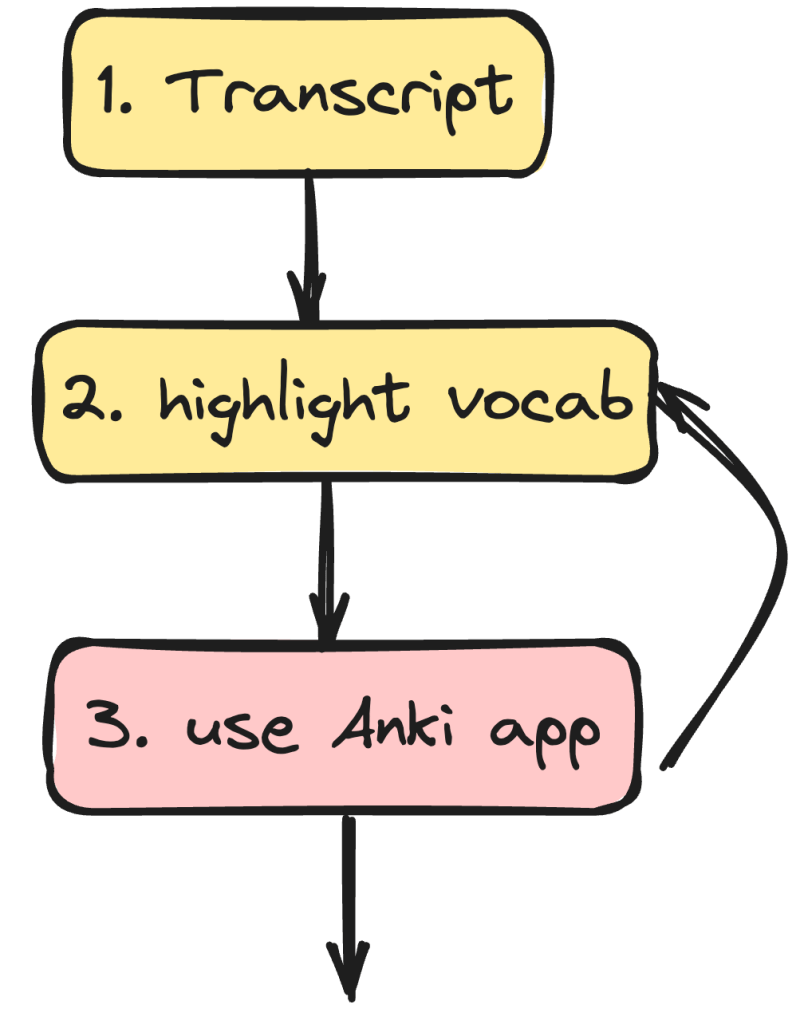
- Transcript
- Import transcript in markdown note
- Highlight vocabulary
- Get a table of all the highlighted vocabularies
- Use Anki app
- Technical: transform the above table into the Anki database
- Theoretical: studying method on the Anki app.
Steps 2 and 3 can be repeated several times because as we deepen our understanding while studying, something unclear may become relevant later and is worth highlighting. The technical part also supports the above process. Step 3 consists of technical and “theoretical” components. In the technical part, I use a bash script along with the Obsidian_to_Anki plug-in[^2] to upload the highlighted vocabulary into the Anki database. In the theoretical part, I demonstrate how I study literarily.
Step 1. Transcript
First, I use the plug-in PodNotes[^2] on my laptop to create the Obsidian note. In the PodNote panel, right-click the mouse and then select Create Note.

It creates a note with relevant metadata such as tags or a URL, which can be customised in the template. In Slow German, the default imported metadata includes a transcript, but it is not complete. You must visit the official website using the URL to obtain the full transcript.
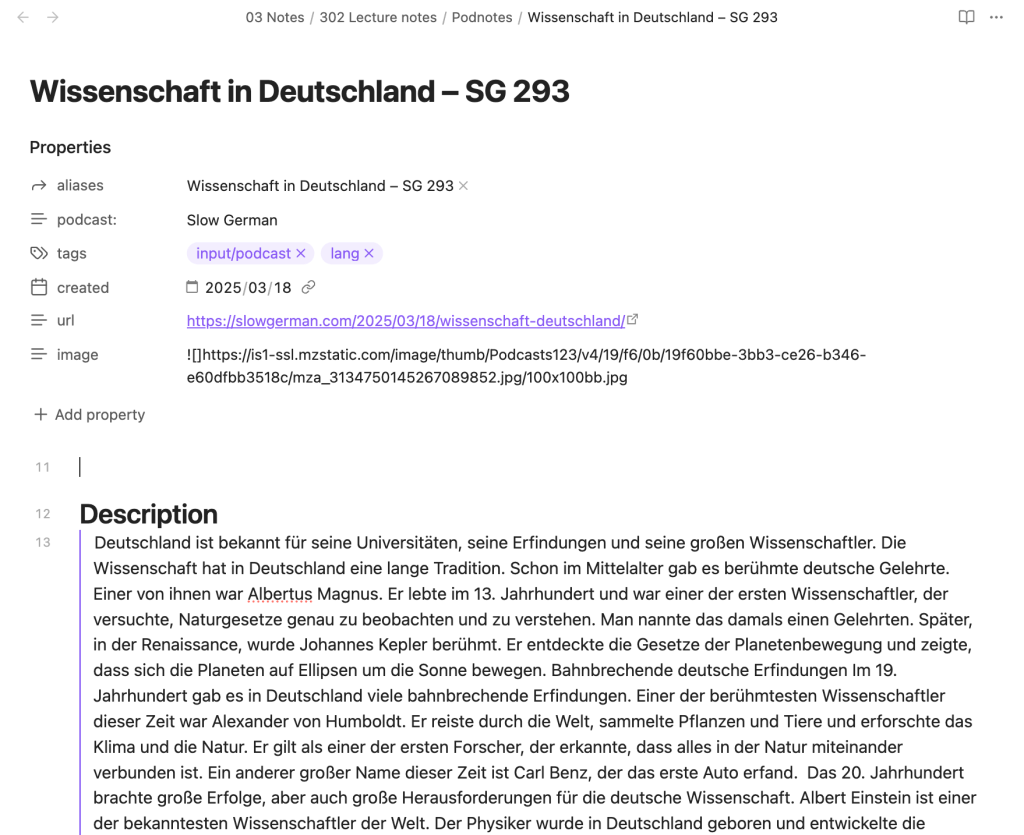
After getting the full transcript, listen to the audio and highlight the unknown word.
Step 2. Highlight vocabulary: vocabulary table
In step 2, I highlight unfamiliar vocabulary found on various devices, such as laptops and mobile phones. While listening, I also use timestamps to indicate the time in each paragraph, which enables me to concentrate on specific sections.
On a laptop, you use the double quote twice, == … ==, to highlight unknown words under the editing mode.
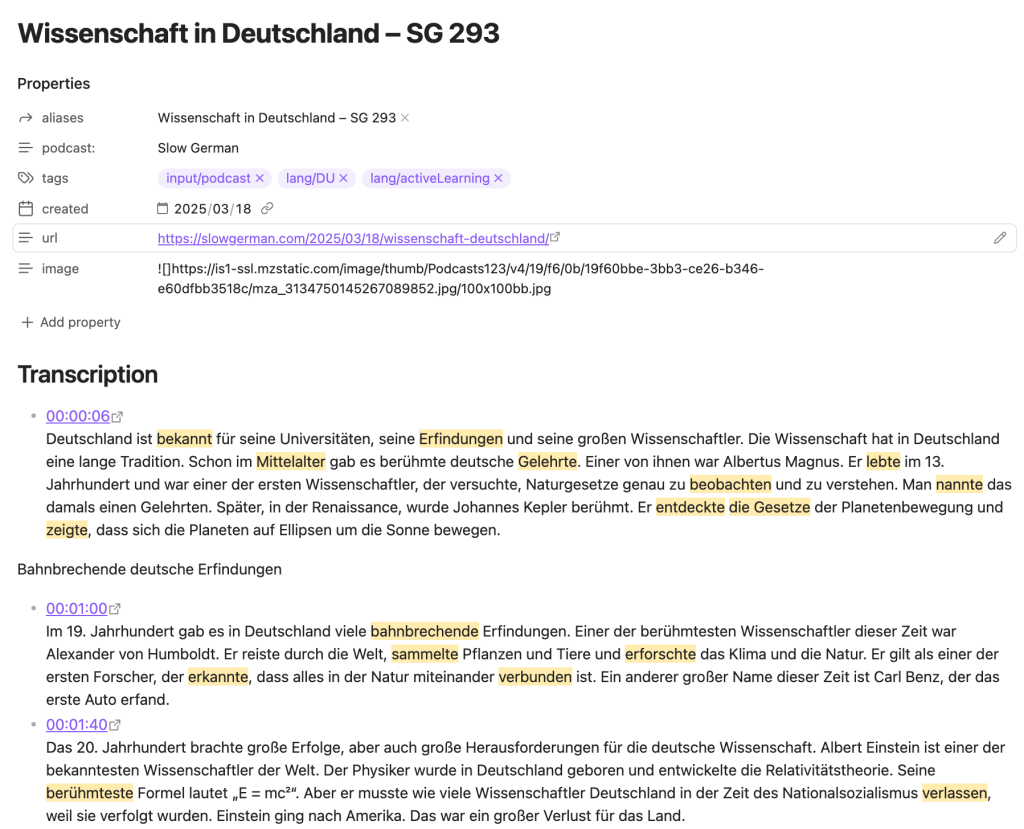
In mobile, other than the double quote, you can also use the toolbar to highlight.

I typically understand about 60% (or less) of the content on my first read, and I don’t aim for perfection. This mindset is really important; I need to remind myself many times that the main goal is consistency and to keep learning, making it a daily habit. Striving for perfection often harms my motivation, so I focus on progress instead.
After identifying some key points from the transcript, I use my laptop to split the screen in two. I then create a table for the vocabulary list below. The two German-to-English dictionaries I use are Collins and Cambridge.

The plug-in Advanced table helps a lot to organise a table.
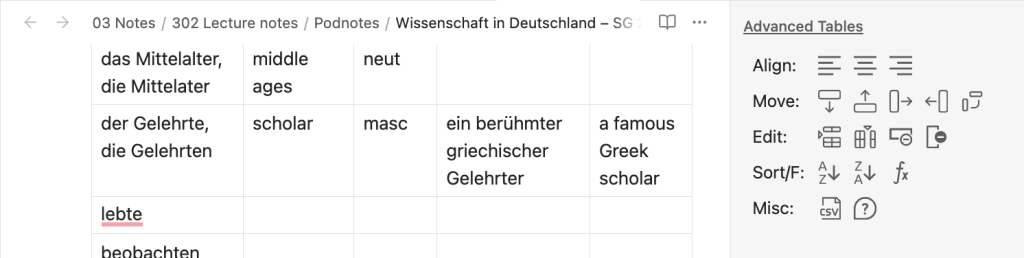
Then, you get a pretty table : )
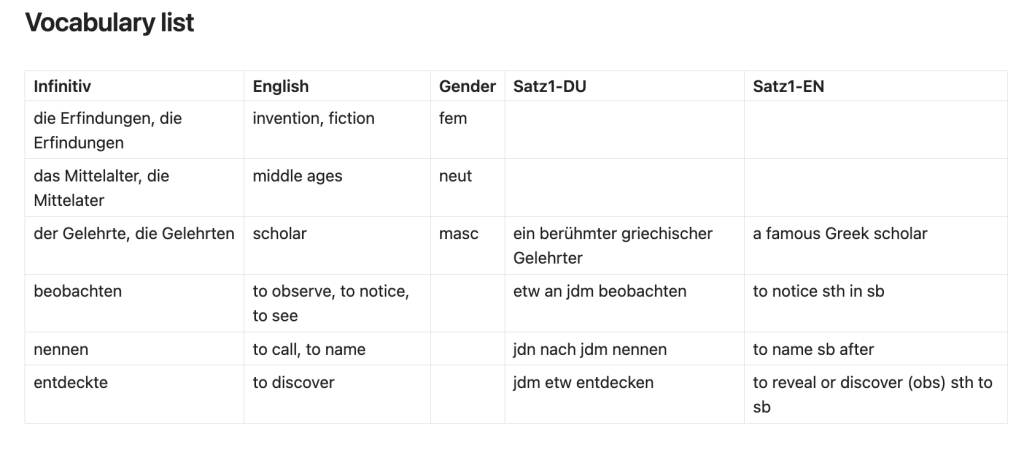
Step 3. Use Anki app
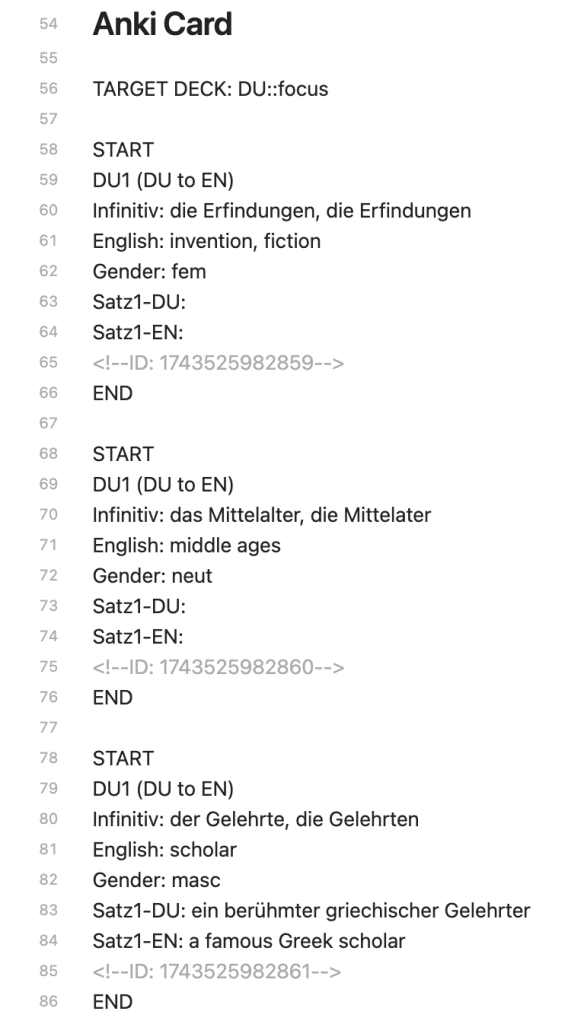
The third step has two components: a technical part and a learning method part. In the technical part, I use a bash script to convert the table into Anki card format[^1] and then utilise the Obsidian_to_Anki plugin to import these cards into the Anki database. In the learning method part, I use the Anki app to study the vocabulary using different types of cards at various learning stages.
Step 3.1 Technical part: convert a table into an Anki database
In this step, I am sharing a screenshot that shows how to use a Bash script to transform a table in the terminal. You can find the script in my GitHub repository here. To use this script, your file must contain two sections: an input section labelled ## Vocabulary list and an output section labelled ## Anki Card. For additional details, please refer to the previous blog post[^1].
(base) Mac:Podnotes Grace$ ../ ../../meta/toAnkiCard.sh Wissenschaft\ in\ Deutschland - SG\ 293.md
=============================================================================
Purpose: This Bash script transform a markdown table to an Anki card format
for using an Obsidian plug-in, Obsidian_to_Anki
(https://github.com/ObsidianToAnki/0bsidian_to_Anki).
=============================================================================
The title for input: ## Vocabulary list
The title for output: ## Anki Card

Start to transform markdown table to Anki card
Total vocabulary: 7
Card type: DU1 (DU to EN)
Default target deck: DU:: focus
Next, use the Obsidian_to_Anki plugin to find the Anki card ID in editing mode. As shown below, the ID is displayed in <!--ID: $some number$ --> in each block.
Step 3.2 Learning Method on an Anki App
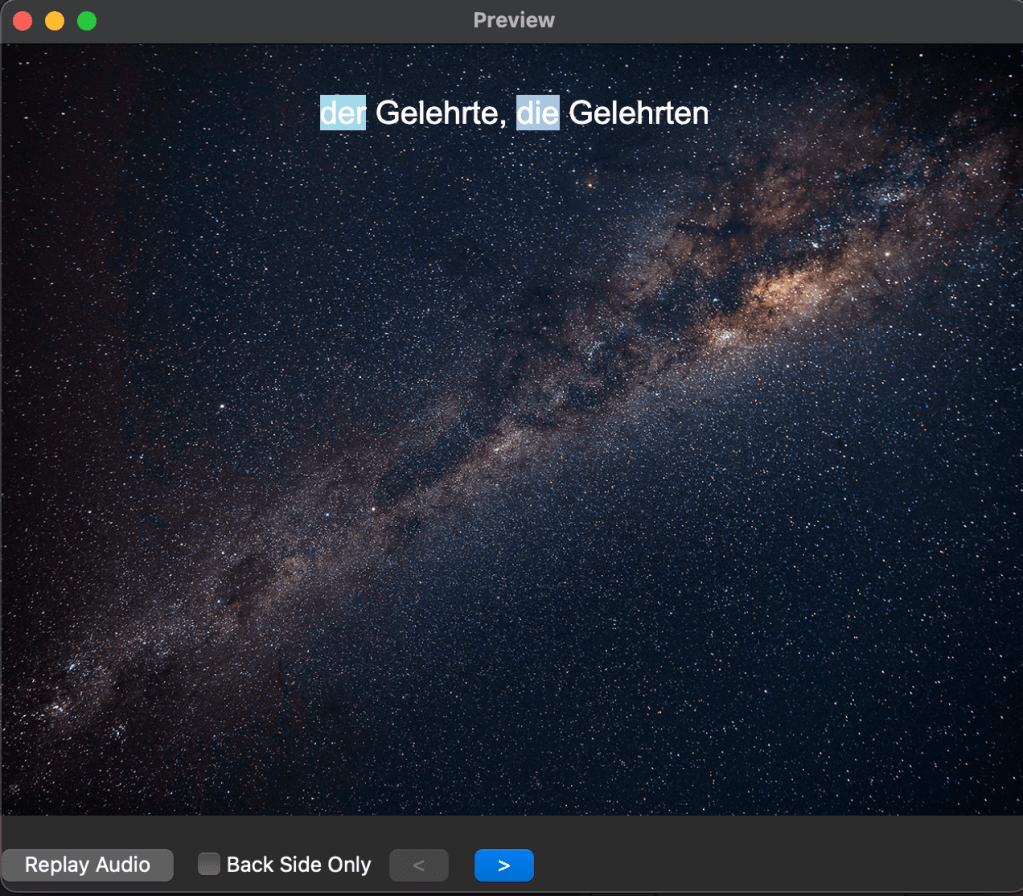
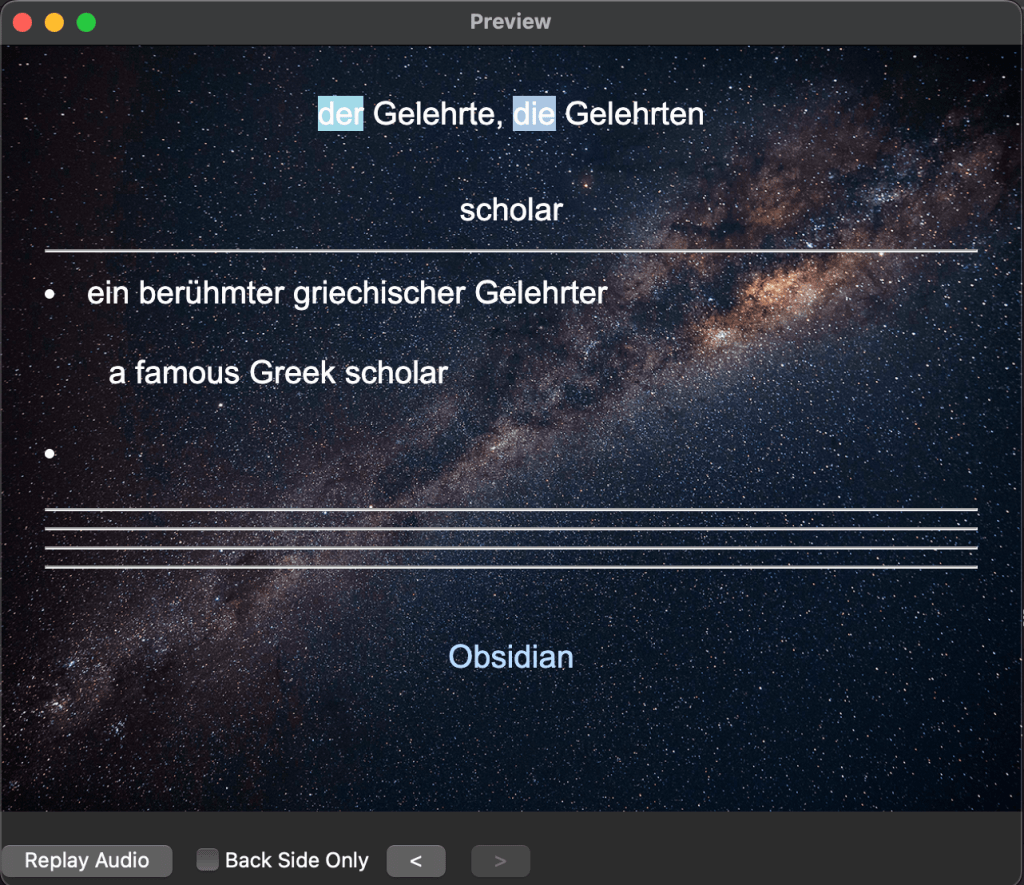
Typically, I begin my preparation by reviewing all the vocabulary in a specific order. To use the SRS (Spaced Repetition System) function effectively, I start with note type 1, where I look at the German term and respond in English. Once I feel more familiar with the material, I switch to note type 2, which involves looking at the English description and responding in German. As I gain confidence, I move on to note type 3, where I reference the English term and write the German spelling. Finally, for note type 4, I listen to the German audio and write down the German spelling. Below, you’ll find screenshots for each step, including some taken on different devices.
Sometimes, I also do not exactly follow the above order. The learning routine needs flexibility to maintain motivation. Having a certain structure benefits consistency, while flexibility reduces feelings of boredom.
In the preparation stage, go to Browse -> Select deck -> Preview.
Front of the first card:
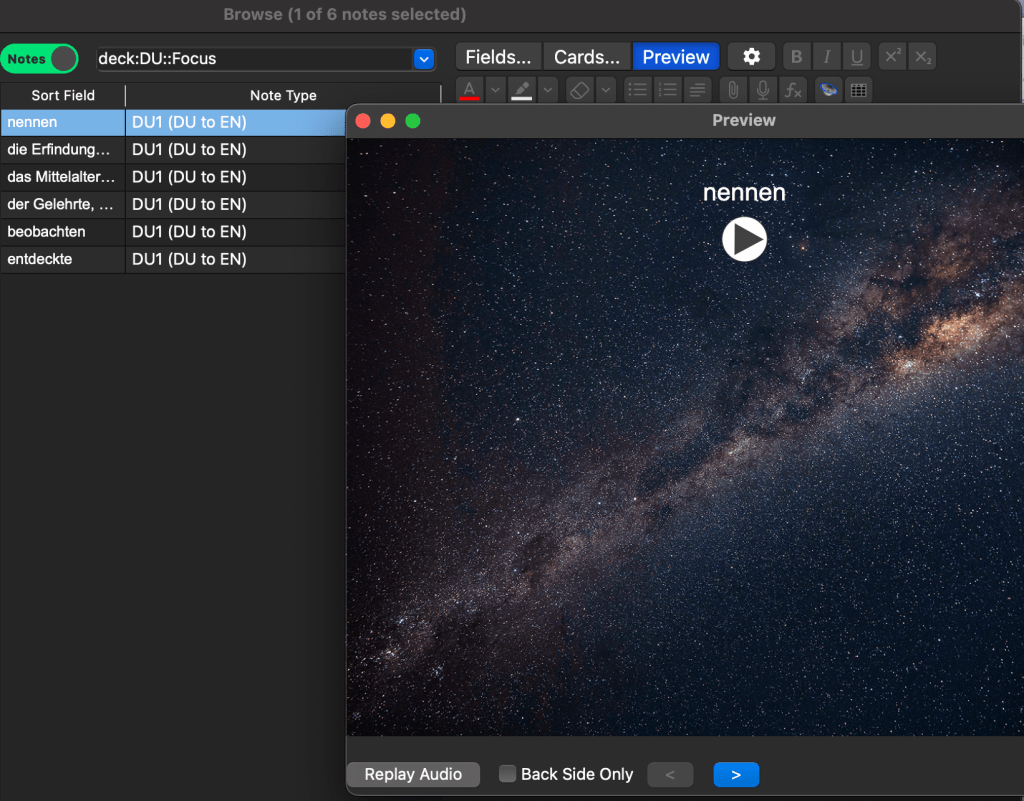
Back of the first card:
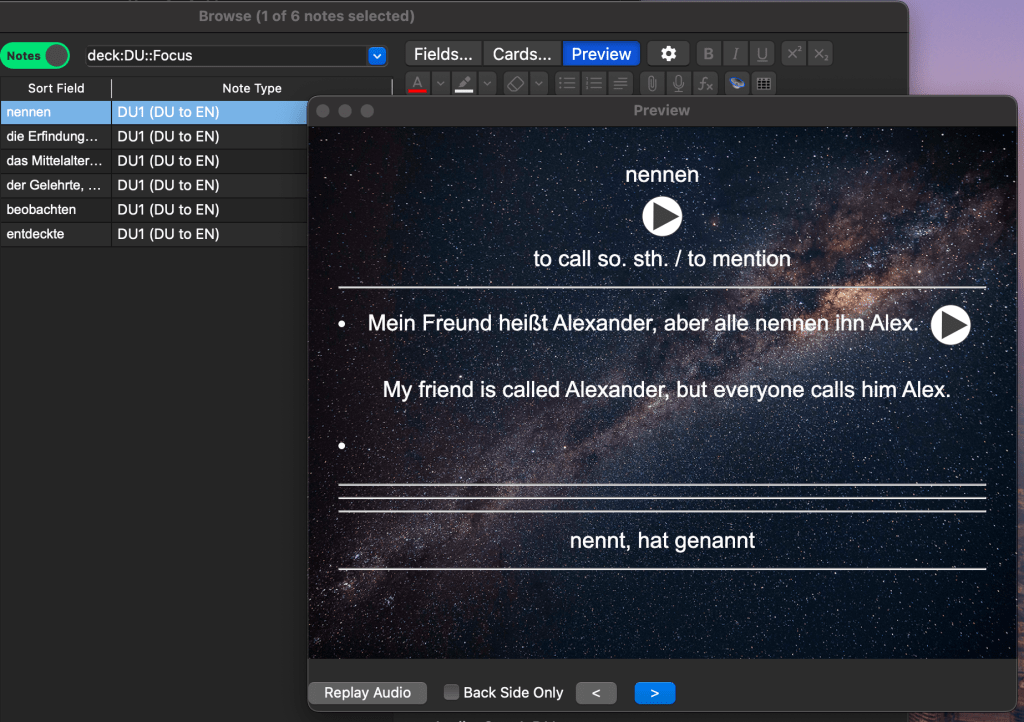
Front of the second card:

Back of the second card:

In the SRS practice mode, here I show the note type 1 on the laptop.
Front:
Back:
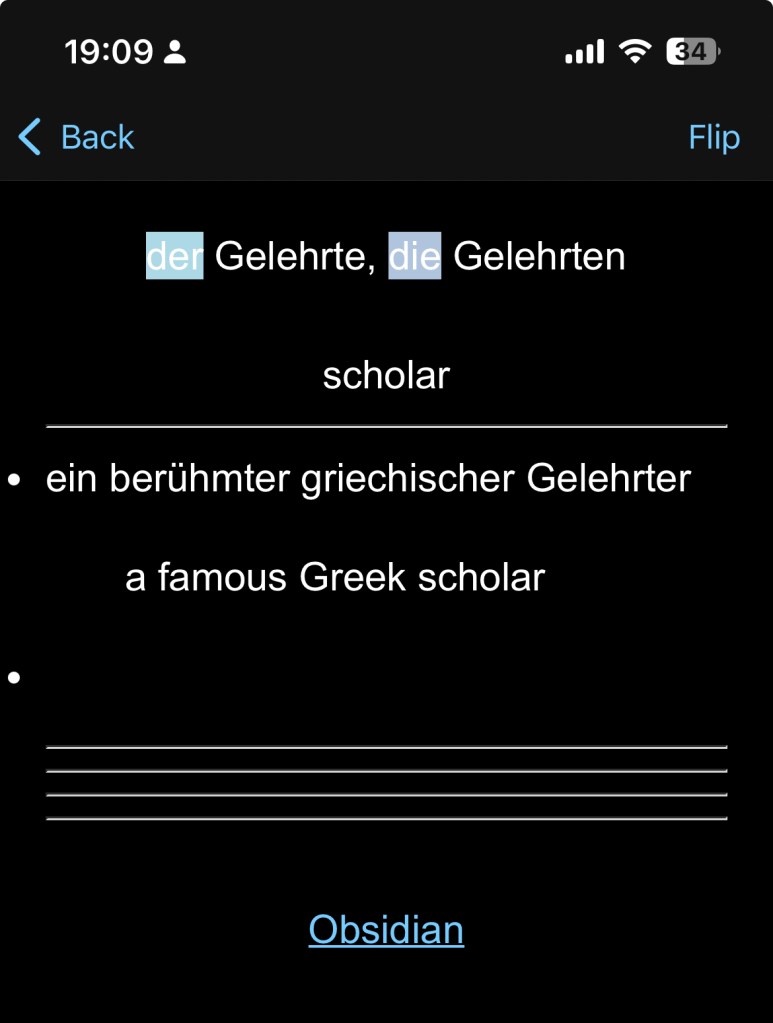
Here I show the SRS mode on a mobile.
Front:

Back:
This is another example of showing note type 3 (look at the English term and write the German spelling).
Front:
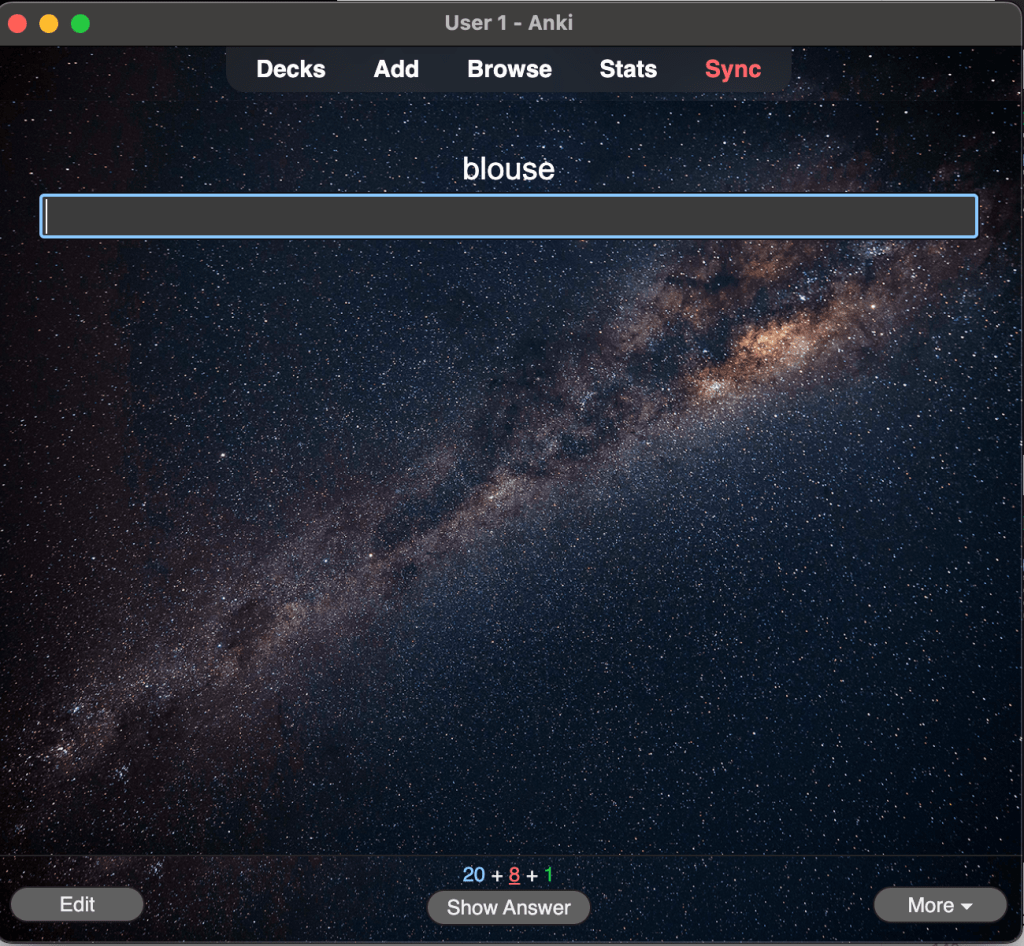
Back:
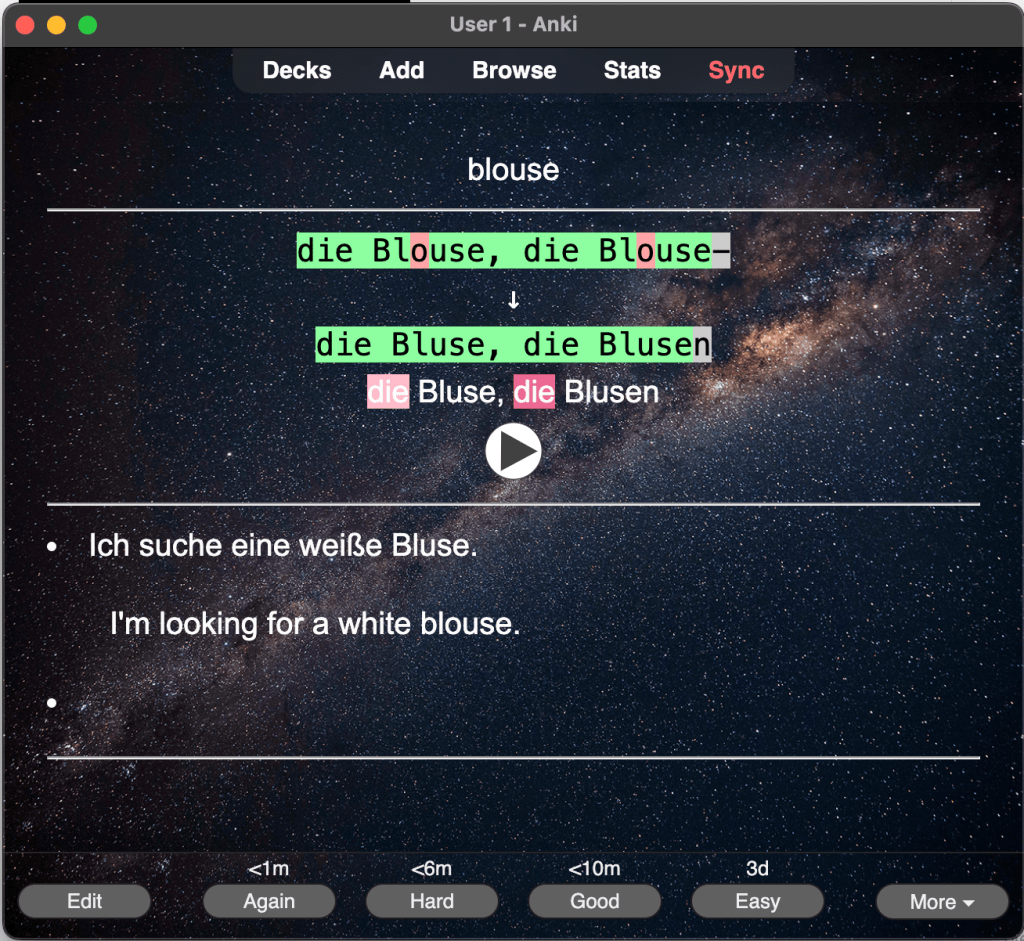
The good thing is that it highlights which parts are incorrect and enhances memory retention. Finally, the note type 4 (listen to the German audio and write down the German spelling) is shown in the following,
Front:
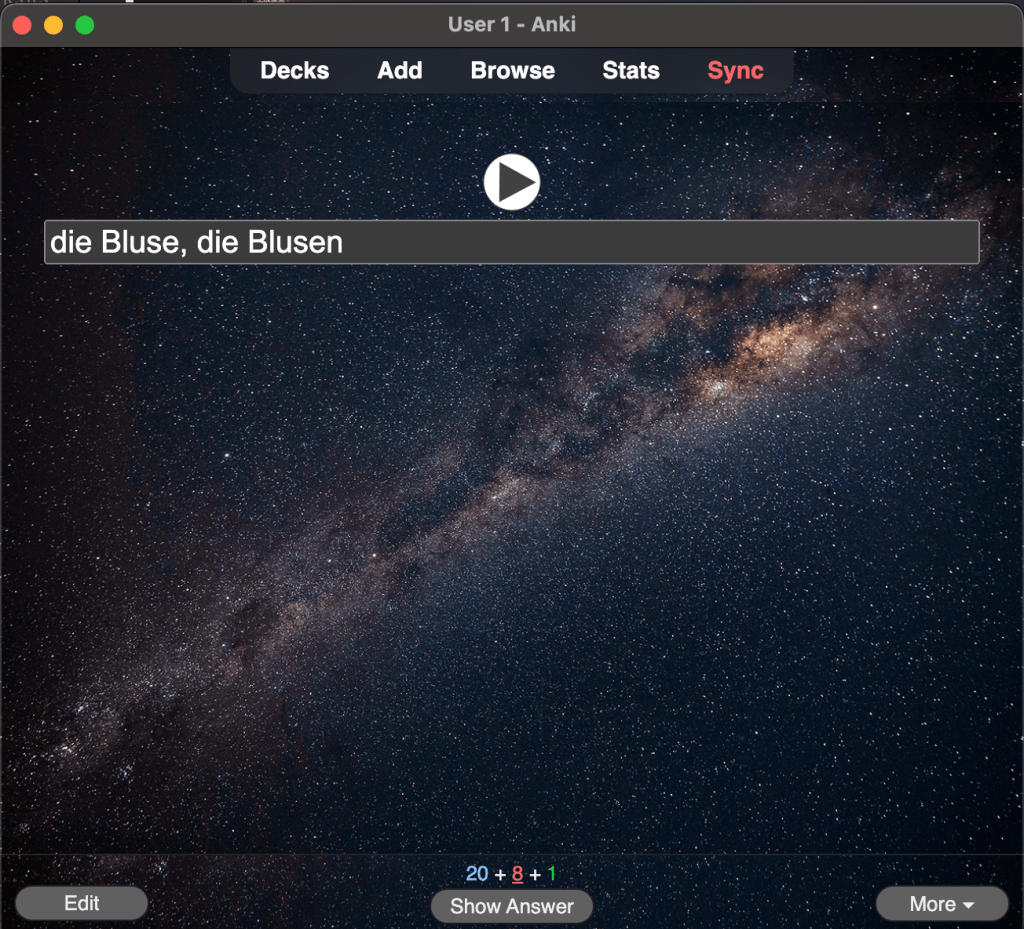
Back:
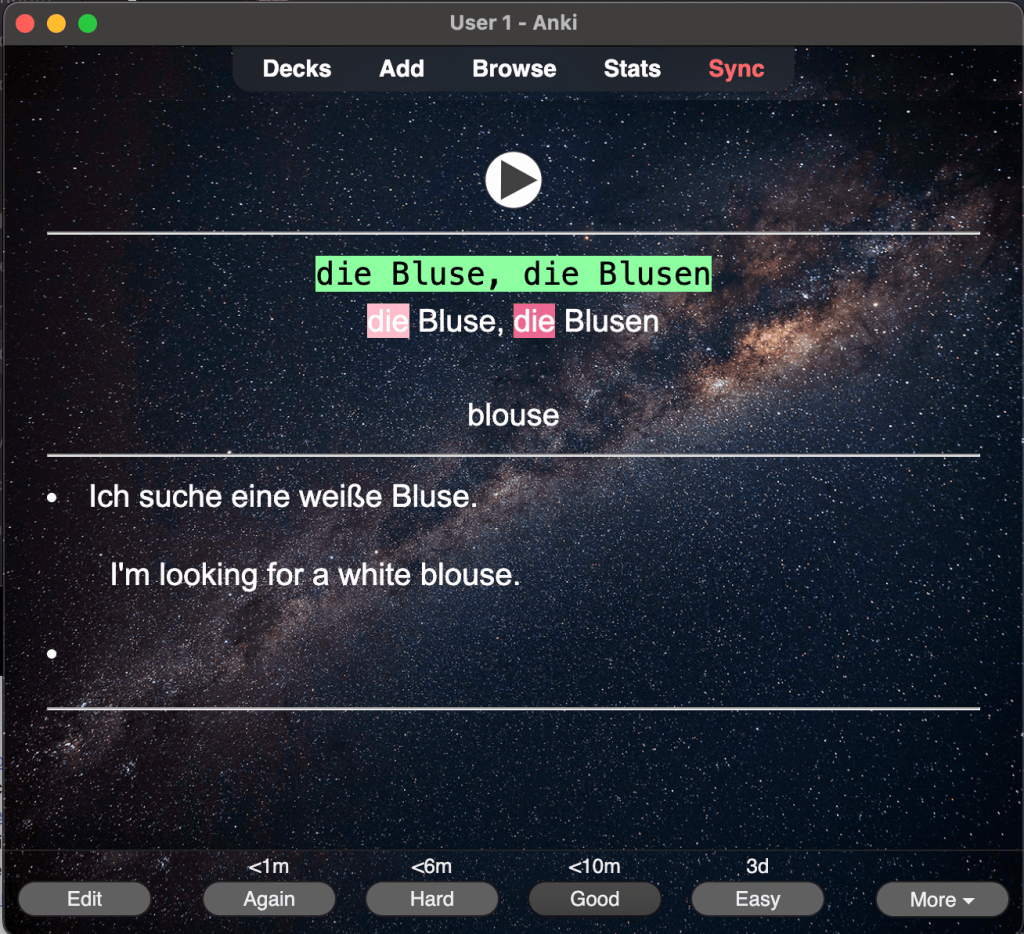
Conclusion for the First Part (Beginner Level)
This guide outlines my approach to learning a target language at the low language proficiency level, specifically focusing on vocabulary memorisation using German as an example, with the help of Obsidian and Anki. I am excited to share this workflow, which incorporates various technical skills and concepts I’ve gathered from learning method books, particularly “Atomic Habits.” I have adapted this knowledge and optimised the workflow based on my personal experiences. After several years of trial and error, this version has seamlessly integrated into my daily routine.
I hope you find this guide enjoyable! Thank you for reading, and I welcome any questions or ideas you’d like to share. The second part of my language learning journey, which will cover more advanced techniques, will be featured in the next blog.
[^1]: Transform a table to an Anki-card format in Obsidian (update 20241031)
[^2]: For technical setting and tutorial, I refer to these two resources: 1. wiki for Obsidian_to_Anki 2. YT: PodNotes: The Best Way To Write Notes on Podcasts in Obsidian
[^3]: The third law of the Atomic Habit: Make it easy. Reducing the friction and decrease the number of steps between you and your good habits.
[^4]: Transcript for Slow German.
 Artistic scientist
Leave a comment